
Is a Facial Recognition Tablet Enough for Plant Access Control? AXIS AI Cameras with FaceMe Add Dual Redundancy for Greater Peace of Mind
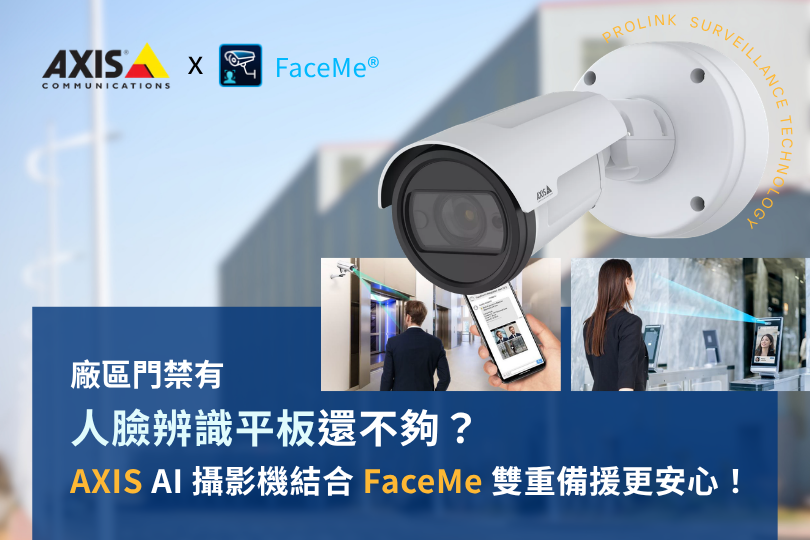
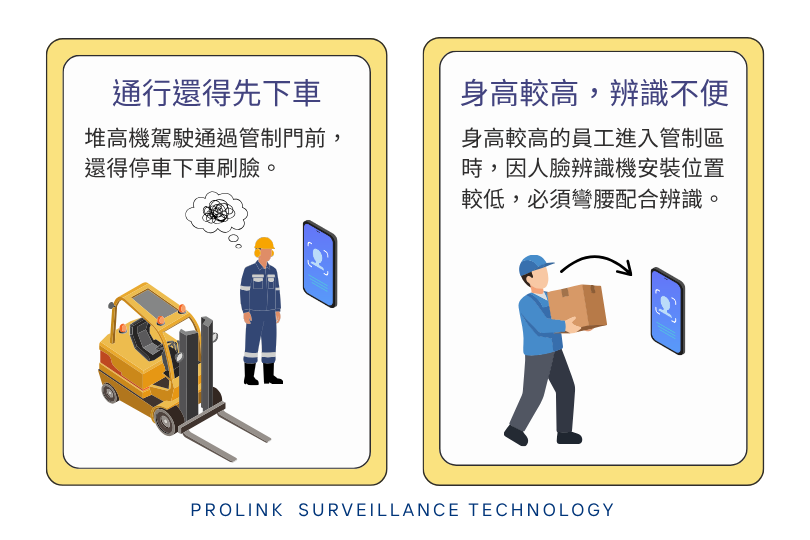
On the factory floor, a forklift driver busy moving materials approaches a controlled gate, only to have to stop, climb down, walk over to the facial recognition tablet to scan their face, and then hurry back to the forklift to continue working.
Or picture someone 190 cm tall, carrying a box of delicate electronic components with both hands, about to enter a restricted area. Because the facial recognition tablet is mounted low, they have to bend over to match the recognition angle while still holding the box. If they accidentally drop it and damage the parts, the cost far outweighs the convenience.
We're already using touchless facial recognition access control, so why is getting in and out still such a hassle?
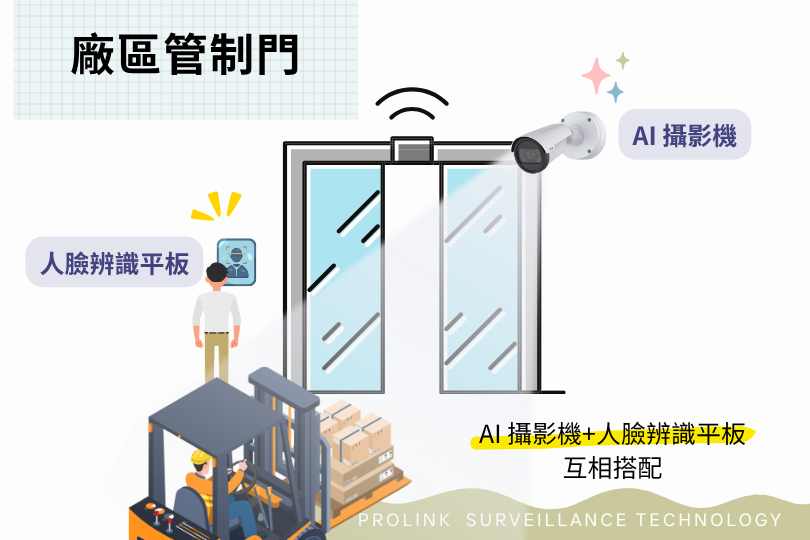
This is where AXIS AI cameras with FaceMe Security come in! Cameras offer more flexible mounting positions and recognition distances, so people can be identified easily without having to position themselves for a tablet.
That doesn't mean your existing facial recognition tablets need to be replaced, though. In fact, using both devices together is even more convenient!
Both use facial recognition, so why would one access point need both an AI facial recognition camera and a facial recognition tablet?
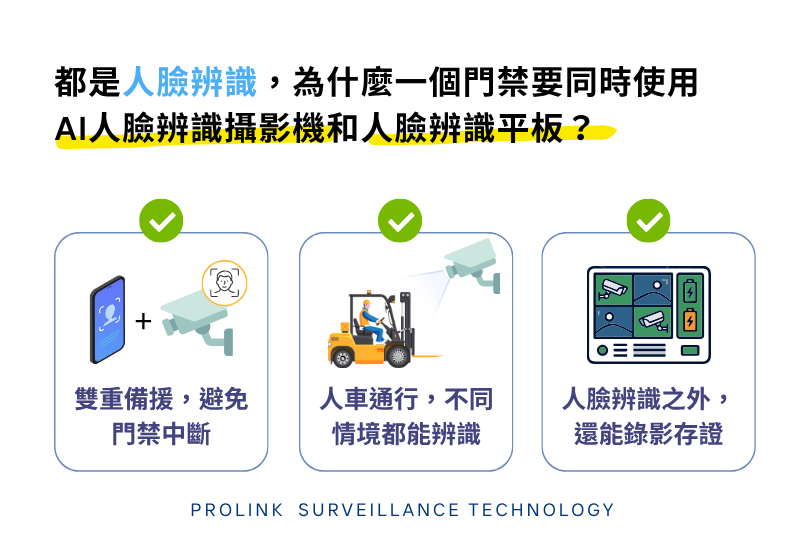
1. Dual redundancy to prevent access control downtime
If either the AI facial recognition camera or the facial recognition tablet fails, the other device can still verify identities, so a single device failure won't disrupt normal entry and exit.
2. Recognition for both pedestrians and vehicles in different scenarios
Plants often need to move materials between zones, and not everyone passes through the same way. Regular staff can use the facial recognition tablet, while those pushing carts or driving forklifts who can't easily approach the tablet can be verified by the AI facial recognition camera.
3. Video evidence on top of facial recognition
Critical areas such as equipment rooms and electrical rooms are restricted to specific engineers or maintenance staff. Installing an AI facial recognition camera at the entrance both verifies identities to admit authorized personnel and records on-site video, so there is footage to trace back if issues arise later.
AI Facial Recognition Cameras vs. Facial Recognition Tablets: An Access Control Comparison
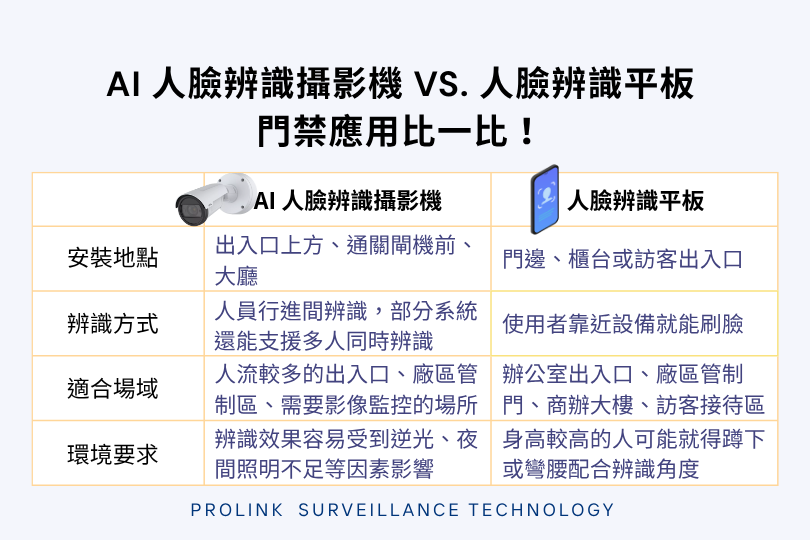
█ AI facial recognition camera: Facial recognition + CCTV surveillance + AI video analytics
- Installation location: Above entrances, in front of turnstiles, in lobbies, etc.
- Recognition method: Identifies people while they are walking; some systems support recognizing multiple people at once.
- Suitable for: High-traffic entrances, restricted plant areas, and sites that need video surveillance.
- Environmental requirements: Recognition can be affected by backlighting, insufficient lighting at night, face angle, and masks.
What makes it special: The camera also works as a CCTV surveillance camera. Once video is streamed to the back-end system, it can be used for AI video analytics, such as detecting intrusions into restricted areas, and can work with a video management system for event search, becoming part of a smart security setup.
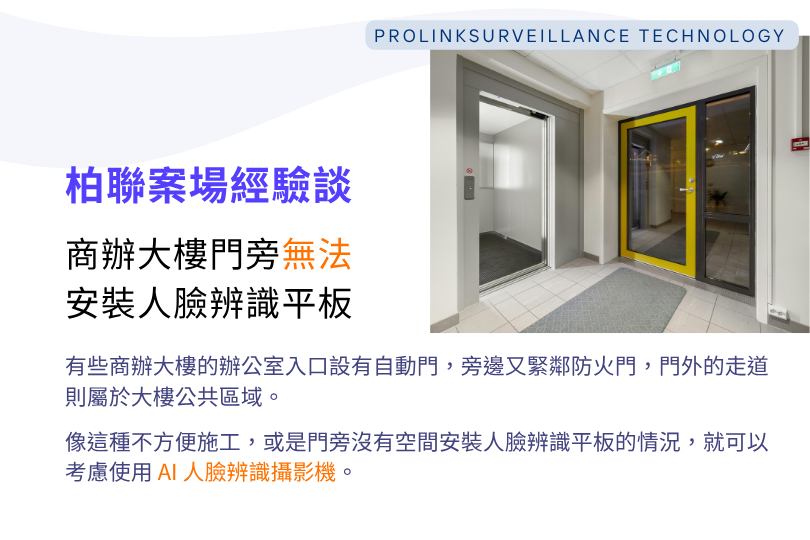
█ Lessons from Pro-Link Projects: When a Facial Recognition Tablet Can't Be Installed Next to an Office Door
In some office buildings, the office entrance has an automatic door right next to a fire door, and the corridor outside belongs to the building's common area.
Installing a facial recognition tablet beside the door may run into restrictions: drilling and wiring in common areas may not be allowed, and the area around a fire door may not be suitable for construction work.
In cases like these, where installation is difficult or there's no room next to the door for a facial recognition tablet, an AI facial recognition camera is worth considering.
█ Facial recognition tablet: Close-range face scanning + fixed-position access control
- Installation location: Beside doors, at reception counters, or at visitor entrances.
- Recognition method: Users scan their face simply by approaching the device; suited to close-range identification of one person at a time.
- Suitable for: Office entrances, controlled plant gates, office buildings, visitor reception areas, etc.
- Environmental requirements: Strong light can cause overexposure, and insufficient light also affects recognition. To accommodate people of different heights, tablets are usually not mounted very high so shorter people can be recognized easily, but taller people may have to crouch or bend over to match the recognition angle.
Things to note: Although some tablets can record video, their low mounting position limits what they can capture. They can't monitor the area around an entrance the way a CCTV camera can, and they aren't a suitable replacement for professional surveillance equipment.
AXIS AI cameras with FaceMe Security
Hailing from Sweden, AXIS is a world-renowned manufacturer of professional video surveillance equipment. It pairs with FaceMe Security from Taiwan's CyberLink facial recognition technology. CyberLink excels in high-accuracy facial recognition and liveness anti-spoofing, and FaceMe Security integrates with many mainstream VMS (video management system) platforms, so businesses adopting facial recognition don't necessarily have to replace their existing surveillance equipment.
For sites with strict information security requirements, such as banks, government agencies, and semiconductor fabs, where facial data is stored and whether it could leak are key concerns when choosing equipment.
Let's take a look at the new features that AXIS AI cameras with FaceMe Security bring this time.
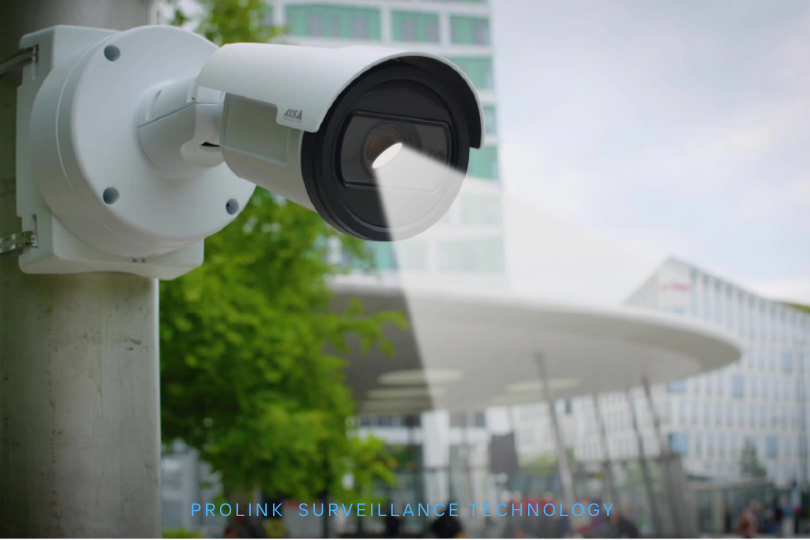
1. Facial recognition on the camera itself, saving back-end hardware
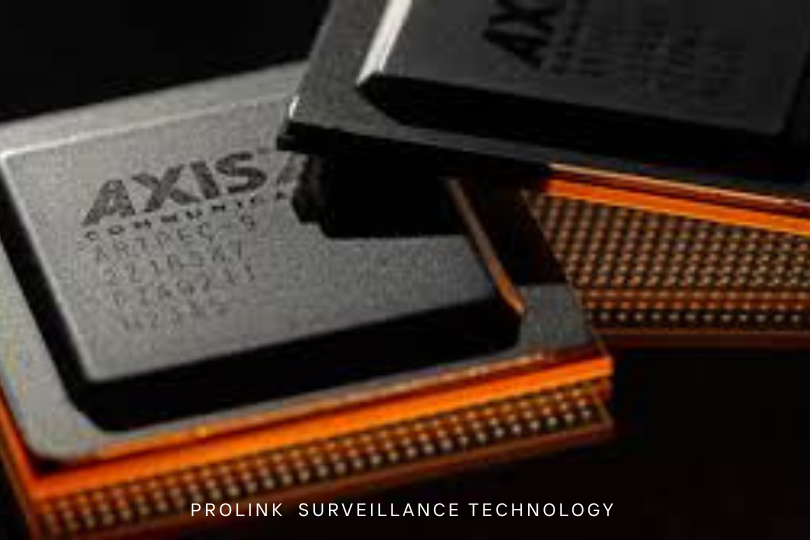
Powered by the ARTPEC-9 chip, AXIS AI cameras running the FaceMe Security ACAP application can perform face detection, feature extraction, and 1:N identity matching directly on the camera. There's no need to set up a dedicated facial recognition workstation, which reduces hardware purchasing, installation, and ongoing maintenance, and makes multi-site deployment simpler.
According to CyberLink's own testing, the AXIS Q3548-LVE camera recognized 510 people per hour against a database of 10,000 faces, with CPU usage of only about 20%.
2. Facial recognition keeps working even when the network goes down
Facial feature data is encrypted and stored on the camera, and identity matching is performed on the camera itself, so video doesn't need to be sent back to a server for matching, reducing data transmission during recognition.
Even if the connection to FaceMe Security Central is temporarily lost, the camera keeps recognizing faces. Recognition records are stored on the camera first and automatically synced back to Central once the connection is restored.
3. Local recognition at each site, centralized back-end management
FaceMe Security Central handles personnel enrollment, data management, and recognition records. Administrators can configure personnel data centrally and sync it to every camera, with no need to re-enroll people at each entrance.
Companies with multiple plants or branch offices can also use personnel group sharing to let different FaceMe Security systems share designated employee, visitor, or blacklist data.
4. Automatic alarms when blacklisted individuals appear
AXIS AI cameras can match faces against a blacklist directly. When a blacklisted person is recognized, FaceMe Security can follow preset rules and use the AXIS VAPIX API to trigger sirens, warning lights, and other devices to alert administrators.
FaceMe Security 8.9.2 also adds alarm response management, allowing administrators to acknowledge events, assign owners, and track progress until each event is closed.
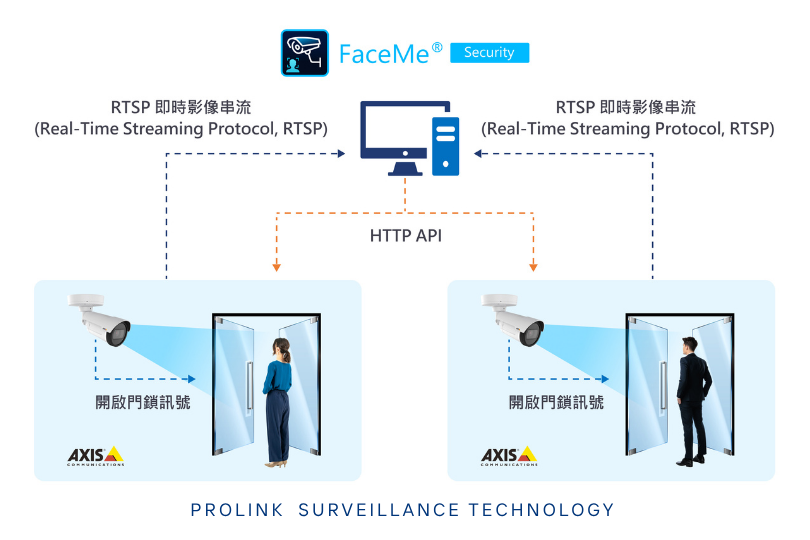
5. Facial recognition combined with video surveillance for full situational awareness
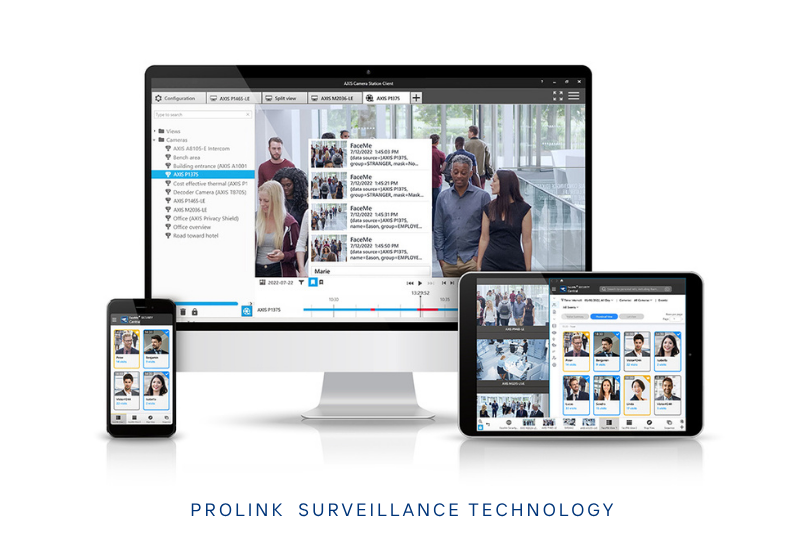
AXIS AI cameras with FaceMe Security can work with compatible VMS platforms, letting administrators view live surveillance footage alongside facial recognition information.
For example, when someone passes through a plant entrance, administrators not only see the recognition result but can also check the camera feed to understand what's happening on site.
6. An AI agent to help search facial recognition records
FaceMe Security 8.9.2 adds MCP Server integration, so administrators can use a compatible AI agent to search facial recognition records with plain-text queries.
For example, ask "Which employees have no entry records today?" or "Summarize this week's facial recognition records," and the AI agent will look up and organize the data for you.