
One of the latest trends in access control technology is the introduction of mobile access, a feature that leverages the trend toward mobile connectivity to greatly improve the user experience of access control systems. Let's go back to basics and discuss exactly what this technology is and how it works.

■ What Is Mobile Access Control, and How Does It Work?
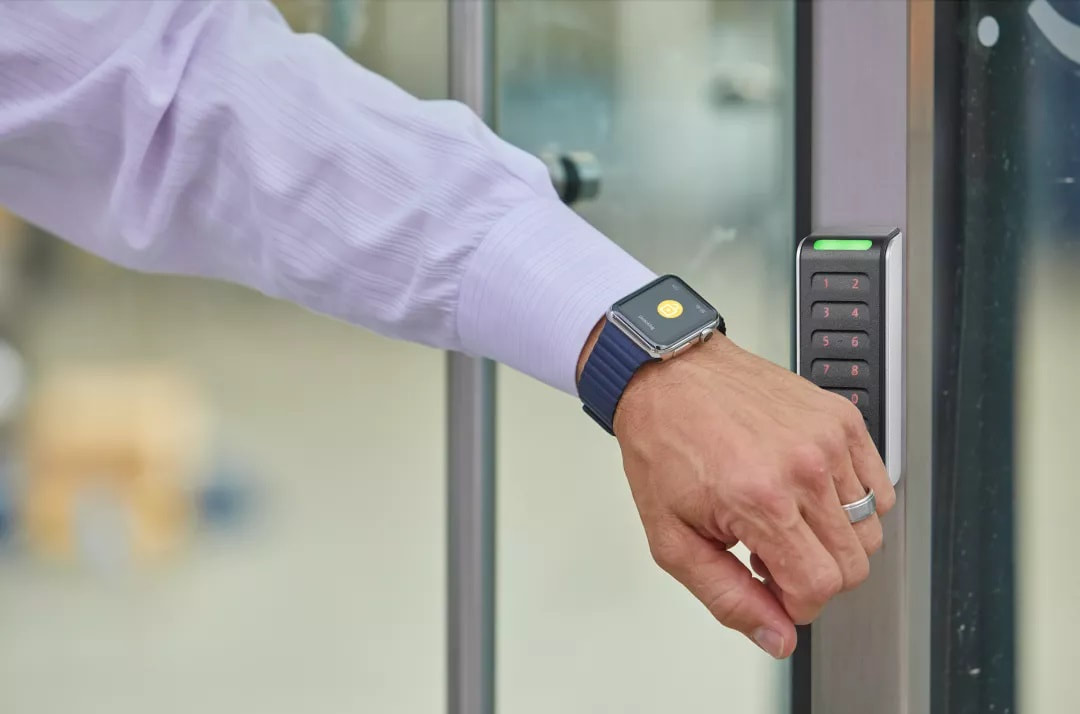
Mobile access control allows employees to use a mobile device as an identity credential to enter office premises and access digital equipment. A smartphone or wearable device contains a digital copy of the access card. In HID Global®'s system, both the physical and digital cards are protected by extremely secure encryption that can block any attempt at duplication. How does it work? HID Global uses the device's NFC or Bluetooth Low Energy (BLE) capability to communicate with the reader, securely verifying identity with Seos® credential technology. The system then grants access to physical or digital locations, devices, or systems based on rules defined by the administrator. As mobile access control becomes more widespread, potential users naturally have some concerns about using a phone to open doors. In this article, we hope to reduce some of the misconceptions people may have when a smartphone is lost or stolen, and ease the anxiety that comes with suddenly losing control over the information on your phone.
■ What Happens to Mobile Access Control If Your Phone Is Stolen or Lost?
Studies show that people are far more diligent about protecting their phones than they are about RFID cards or mechanical keys. A phone is rarely far from its owner, and if it goes missing, most people notice very quickly. So what does someone do once they realize their phone has been stolen or lost? First, there's no need to panic, since most people protect their phones with a password, PIN, or biometric authentication, preventing anyone else from using the credentials on the phone — others simply can't unlock the phone or access the personal information on it. Owners may worry that an unauthorized person could use a found or stolen phone to enter their company. In that case, the first thing to do is contact the system administrator to immediately delete the mobile access credential. By revoking the access credential, the suspended credential becomes invalid immediately, even on an unlocked phone. Suspending a mobile access credential on a phone is instant, and much faster than managing an RFID card or mechanical key. When setting up a new smartphone, the employee simply downloads the mobile access app, and the company's system administrator can immediately reissue the credential. Although you may temporarily be unable to use your phone to access the building, in many cases companies also set up a backup solution for employees to access the building. Regardless of the credential solution, backup systems can include supplemental credentials (an RFID card, a master key, or an administrator password), or even security personnel. Another common strategy is to use a personal identification number (PIN) as another way to enter the building. So if a phone is lost, stolen, or its battery dies, employees can still gain authorized access using a backup method.
In this respect, a phone isn't all that different from a key or an RFID card. It's worth emphasizing that companies and individuals should install multi-factor authentication as a backup to better protect their mobile access control system.
■ Losing Your Phone Doesn't Mean the End of Mobile Access Control
As mentioned above, losing or having your smartphone stolen doesn't mean you lose access to your company building or control over the information on your smartphone. If companies and employees follow a few simple rules for managing mobile access control on smartphones, concerns about a lost smartphone can be minimized. Deploying a mobile access system that balances security, privacy, and convenience, while offering important options such as multi-factor authentication and enterprise-wide credential rules, is essential to keeping a mobile access control system secure, manageable, and sustainable.
As mentioned above, losing or having your smartphone stolen doesn't mean you lose access to your company building or control over the information on your smartphone. If companies and employees follow a few simple rules for managing mobile access control on smartphones, concerns about a lost smartphone can be minimized. Deploying a mobile access system that balances security, privacy, and convenience, while offering important options such as multi-factor authentication and enterprise-wide credential rules, is essential to keeping a mobile access control system secure, manageable, and sustainable.