
VCA Smart Video Event Management Platform
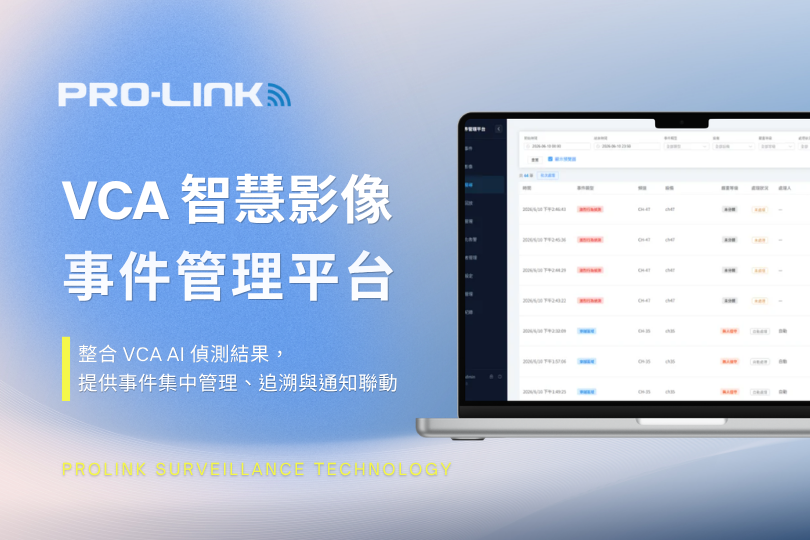
Consolidating All VCA AI Video Analytics Events, organizing detection results for centralized management. It supports not only VCA but can also integrate with AI video analytics systems from other brands, so events from different sources can all be viewed, processed, and tracked on the same platform.
Just as AI video analytics is responsible for monitoring every frame,the VCA Smart Video Event Management Platform brings detected events right in front of you. Since human attention is limited, there's no need to constantly watch every screen — focus your attention on the events that truly need handling.
After Adopting AI, Surveillance Management Should Change Too
With AI video analytics, abnormal events can be proactively detected, and surveillance is no longer just about recording everything indiscriminately. However, from event management and software usage to system integration, there are still a number of issues to address:
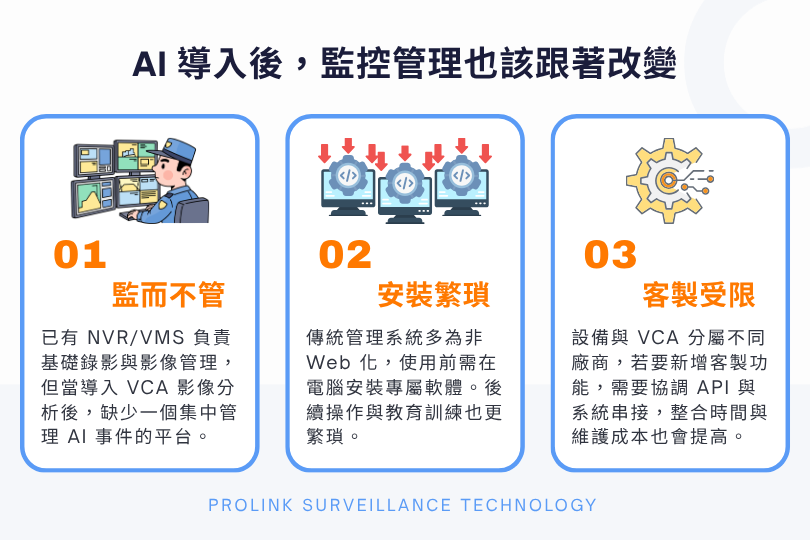
01 | Monitored but Not Managed
An NVR/VMS already handles basic recording and video management, but as devices and sites increase and VCA video analytics is added, events can end up scattered across different devices and systems. Checking events and viewing footage still requires switching between devices, with no centralized platform for managing AI events.
02 | Cumbersome Installation
Traditional management systems are often not web-based, requiring dedicated software to be installed on each computer before use. As the number of users or managed sites grows, each one must be installed, configured, and maintained separately, making ongoing operation and training more cumbersome.
03 | Limited Customization
When cameras, the NVR/VMS, and the VCA analytics platform come from different vendors, adding event notifications, I/O linkage, or other custom features requires coordinating APIs, event formats, and control methods. Even if the systems can be connected,it doesn't mean event data can be directly exchanged, and integration time and maintenance costs will also increase.
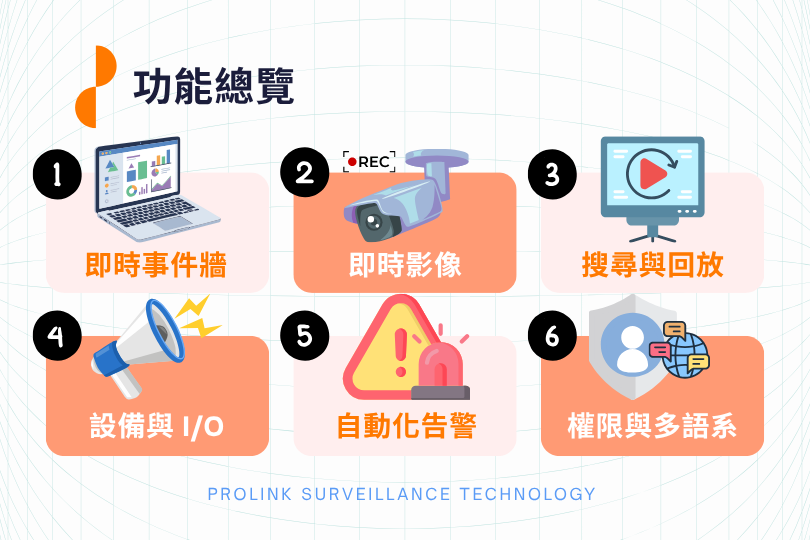
Feature Overview
Real-Time Event Wall / Live View / Search & Playback / Devices & I/O / Automated Alerts / Permissions & Multi-Language Support
Overall System Architecture
A Healthy Server Doesn't Mean AI Is Still Running
The platform includes a 'heartbeat monitoring' feature that continuously checks whether the software services are running normally. Even if the hardware server is fine, the AI software may still malfunction — heartbeat monitoring allows early detection, preventing AI video analytics from going down unnoticed.
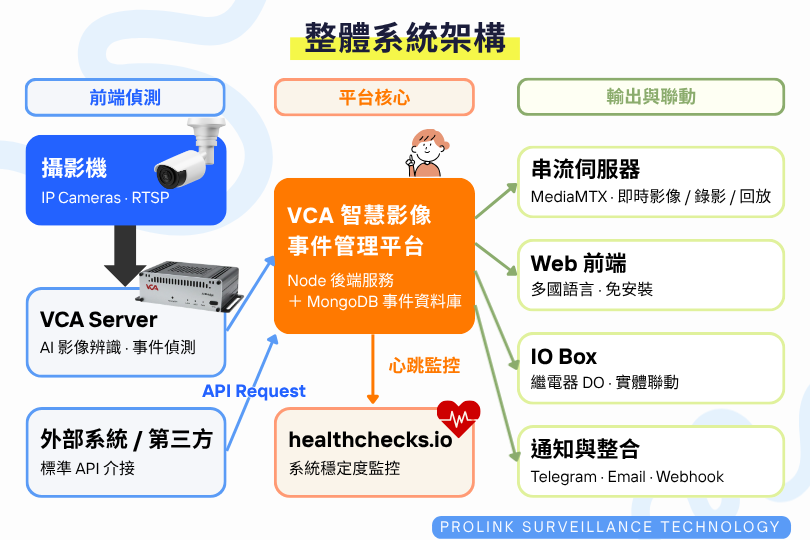
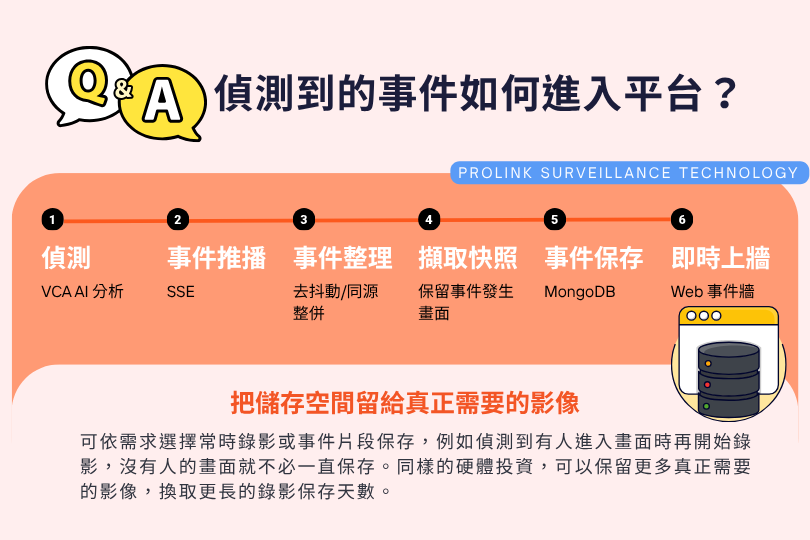
How Do Detected Events Enter the Platform?
Save Storage Space for the Footage That Really Matters
You can choose between continuous recording or event-based clip storage as needed — for example, starting recording only when a person is detected entering the frame, so footage with no activity doesn't need to be stored continuously.With the same hardware investment, you can retain more of the footage that truly matters and extend your video retention period.
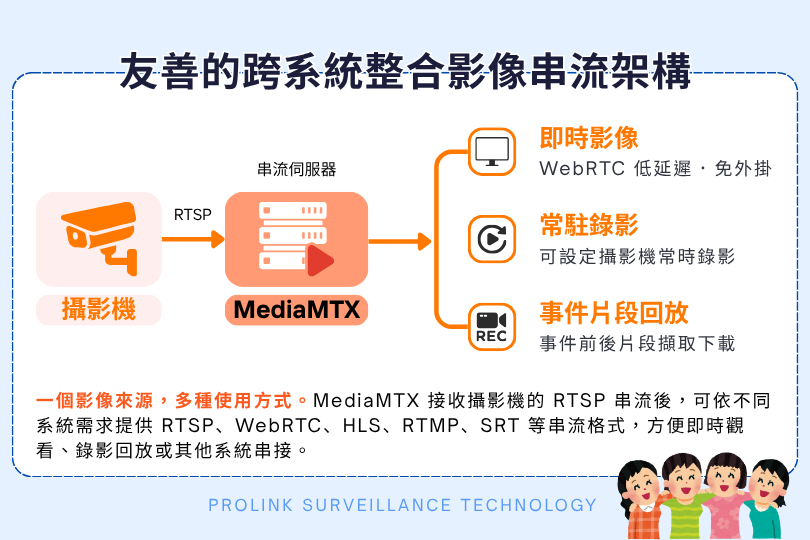
A User-Friendly Cross-System Video Streaming Architecture
One video source, many ways to use it.MediaMTX After receiving the camera's RTSP stream, the platform can output it in formats such as RTSP, WebRTC, HLS, RTMP, and SRT to suit different system requirements, making it easy to view live, play back recordings, or integrate with other systems.
Feature Details
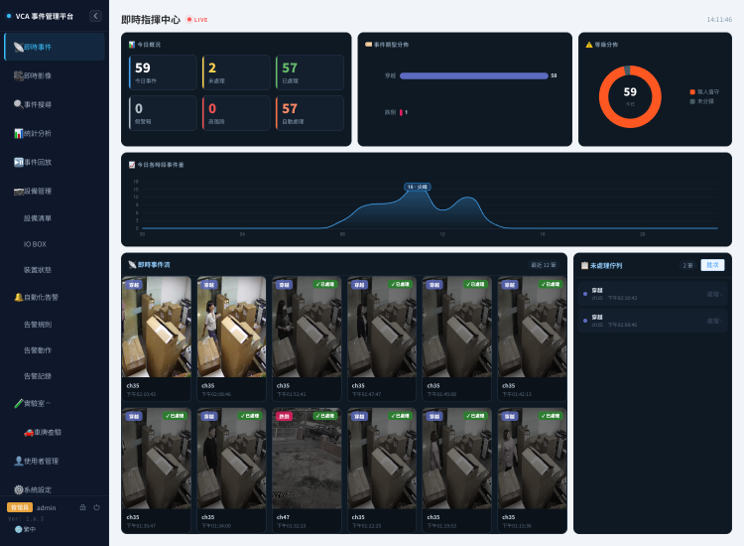
1. Real-Time Event Wall
- Consolidates today's events, unhandled items, handled items, false alarms, and high-risk events, so on-duty staff can quickly get a grasp of the day's situation.
- Displays AI event types such as fall detection and aggressive behavior detection, along with severity-level distribution and time-of-day trends, making it easy to see which time periods and event types occur most frequently.
- The real-time event feed shows the latest events, letting you view the time of occurrence, channel, and current handling status directly.
- Unhandled events are listed together, serving as a reference for daily to-do lists and shift handovers.
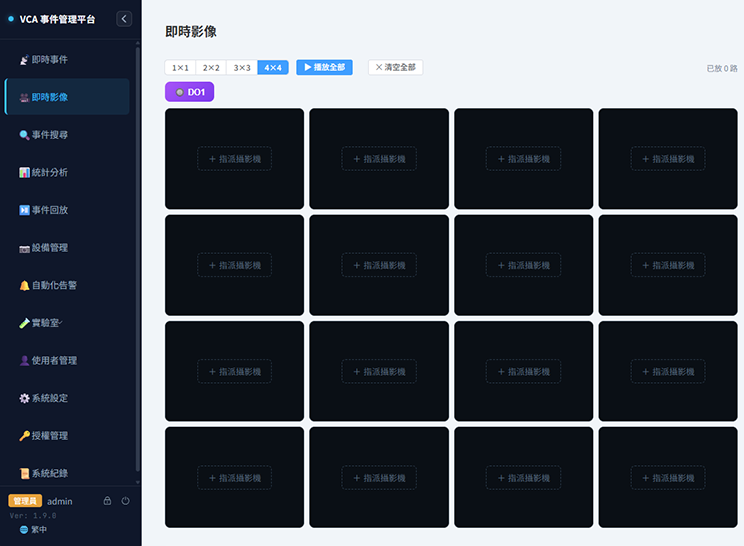
2. Live View
Supports up to a 16-way split screen, with cameras freely assignable to any position, allowing you to create temporary monitoring layouts or focused-area views based on on-site needs.
• Uses low-latency WebRTC streaming to view live video directly in the browser, with no additional plug-ins required.
• Supports one-click snapshots and single-view full screen, letting you quickly zoom in or capture the current frame when you need to check on-site details.
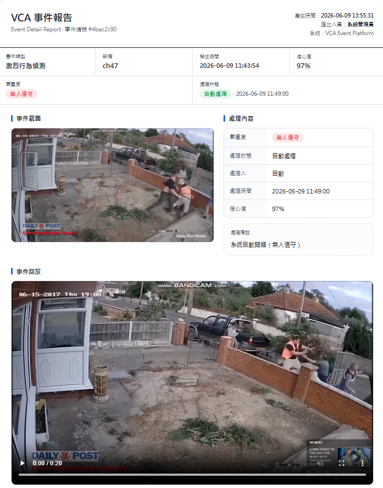
3. One-Page Reports
- Event screenshots, handling notes, and event video clips are all consolidated on a single page, which can be exported with one click for managers to review — showing the event timeline, handling outcome, and video evidence directly, without spending extra time compiling screenshots, videos, and event details separately.
- Reports are in plain HTML format, so they can be opened directly on any device and printed for records.
- Supports bulk export as CSV lists or Excel files (with images), and can reuse existing event search and filter criteria.
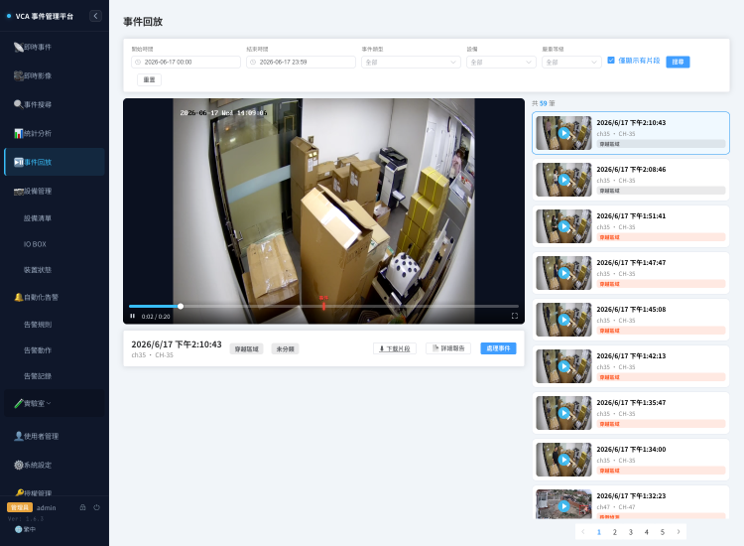
4. Event Playback
- Automatically captures video clips before and after an event occurs, so you can quickly review what led up to it and what followed.
- The timeline marks where events occurred — just click to jump straight to that moment, instead of searching through hours of recordings.
- Event clips can be downloaded directly as MP4 files for easy archiving, reporting, or later verification.
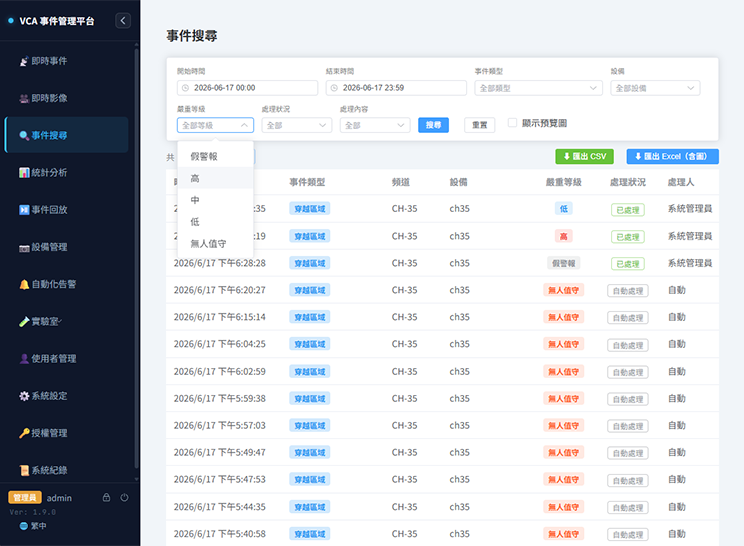
5. Event Handling and Classification
- Supports event severity classification, handling notes, and batch processing, and also offers an unattended mode.
- Even without anyone on duty, events don't have to pile up in the pending list. For example, after staff clock off, the system keeps receiving AI events — those generated during unattended periods can be routed into the unattended category, preventing a backlog in the regular pending list. Footage can then be reviewed later from the unattended events whenever needed.
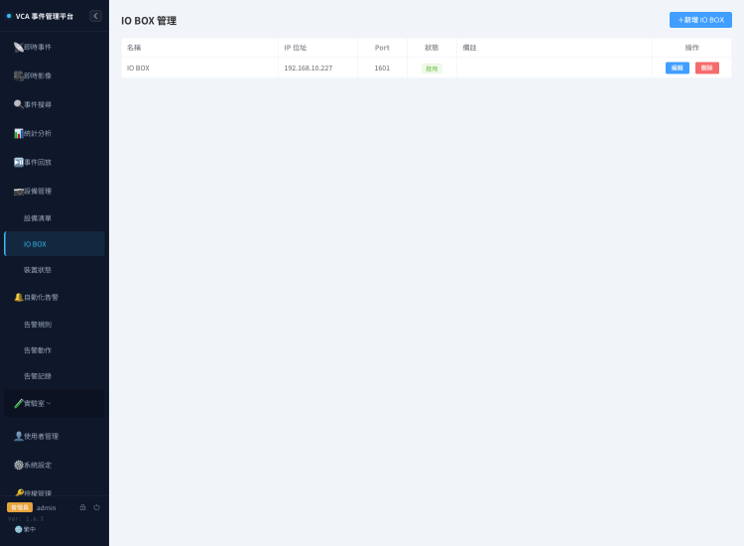
6. Real-Time AI Event Linkage
Once AI detects an event, it can immediately trigger on-site alarms, access control, or lights through an IO Box.
- Alarm/Buzzer: Instantly alerts when an event occurs
- Access Control/Gate: Triggers switches or access devices based on the event
- Warning Light/PA System: Lights up or plays a voice alert
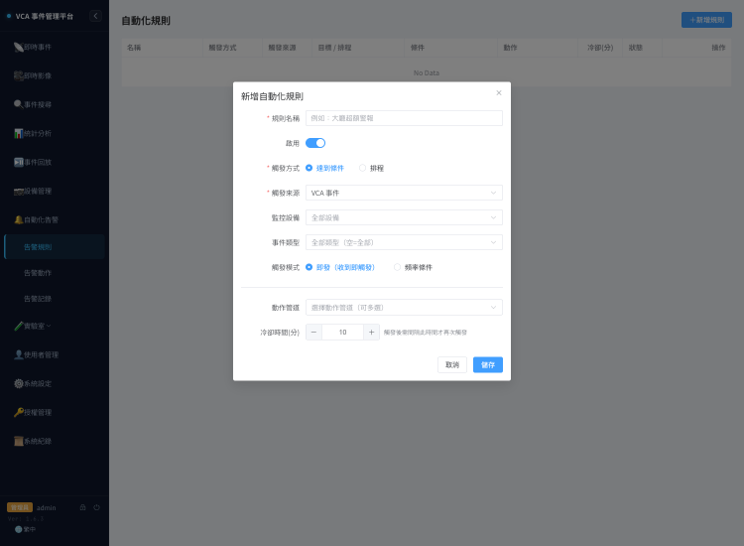
7. Automated Alerts
- You can set alert rules and actions per event, specifying which events should trigger a notification.
- Supports multiple notification and integration methods, including Telegram, Email, Webhook, and I/O.
- Every alert is logged, making it easy to look up and track later.
Pure Web + On-Premises Deployment Makes AI Event Management Easier to Implement
Just open a browser to get started — no need to install dedicated software on every computer. Event and video data stay on the company's internal network, and the system can continue to integrate and expand alongside your existing systems.