
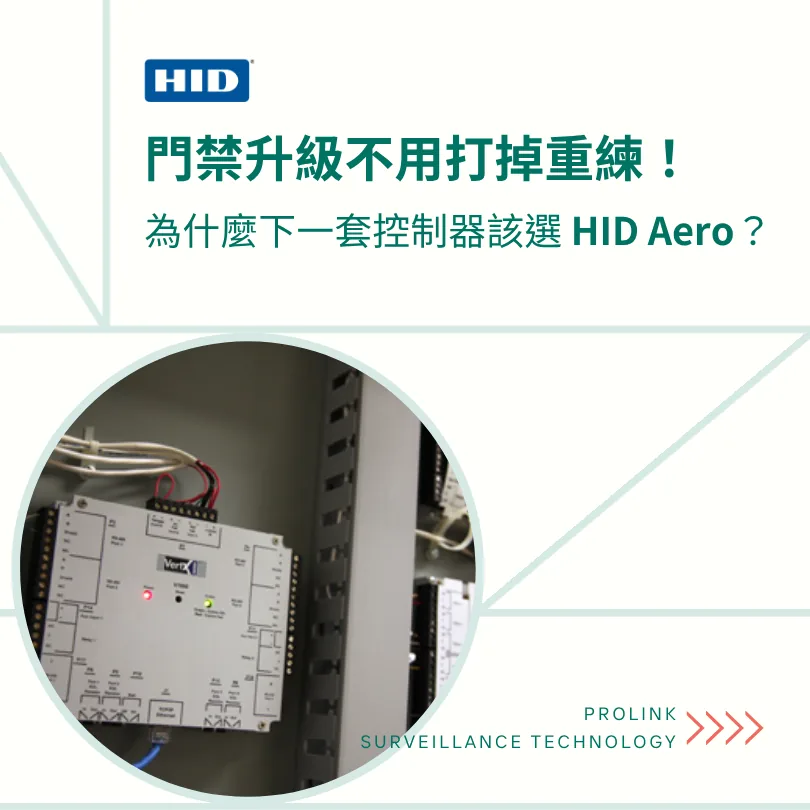
The access controller is the behind-the-scenes mastermind of an access control system. When people think of access control, they usually think of card readers and door locks first, and rarely notice the access controller hidden in the low-voltage cabinet that actually decides whether a door opens.
When selecting an access controller, system security, device compatibility, ease of management, and future expandability are all key points to consider.
What Is HID Aero?
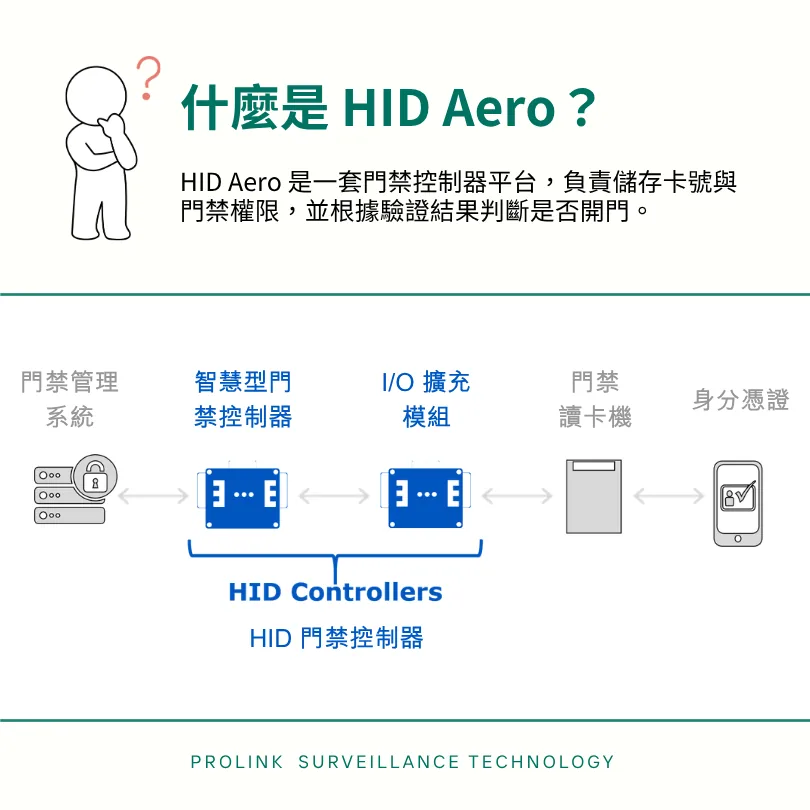
HID Aero It is an access controller platform that stores card numbers and access permissions, and decides whether to open a door based on authentication results.
As the successor to HID VertX™ and EDGE™, HID Aero is not simply a "newer VertX,"but a further upgrade in security protection, system integration, and expansion flexibility。
HID Aero adopts an open IP network architecture that supports end-to-end security, OSDP communication, and local access control. It also works with card readers from different brands and is compatible with existing VertX I/O modules。
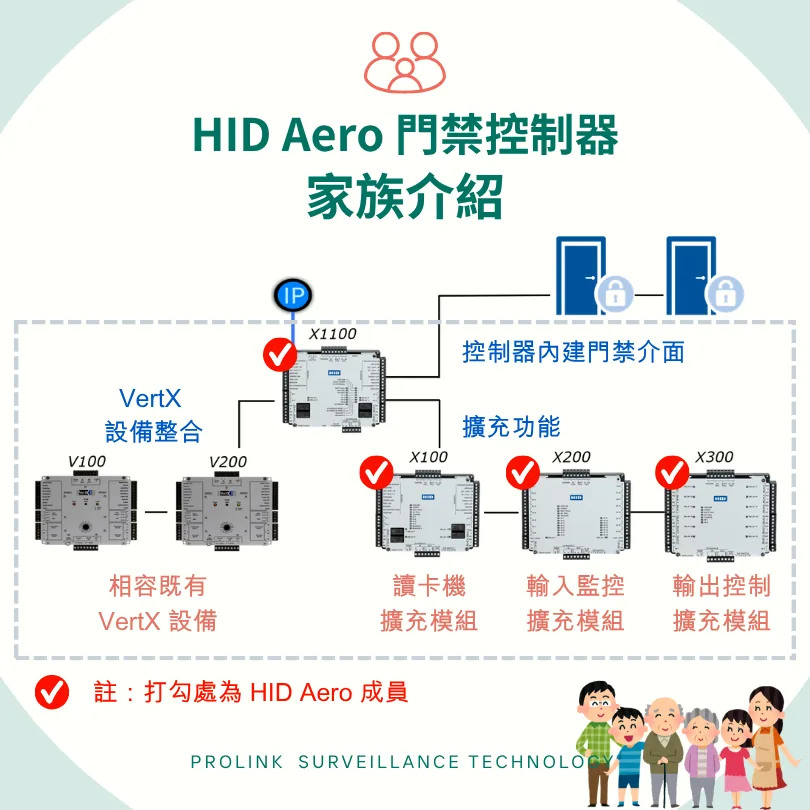
Introduction to the HID Aero Access Controller Family
The HID Aero access controller family has 4 models: the X1100 intelligent main controller and three I/O expansion modules (X100, X200, and X300), which can be mixed and matched to suit the access control needs of different sites
The X1100 is the intelligent main controller of the HID Aero system and on its own supports up to 2 access points, 4 OSDP readers or 2 Wiegand readers, 7 inputs, and 4 outputs, so it can control basic access control equipment without an additional X100.
If the site needs more access points, device status monitoring, or control of other equipment, you can add X100, X200, and X300 I/O expansion modules. These three modules each serve a different purpose, and they must be used with an X1100; they cannot operate on their own.
according to your needs. Per HID's original specifications, a single X1100 paired with different I/O expansion modules can support up to 64 access points, 64 readers, 615 inputs, or 388 outputs respectively. These are the individual maximums under different configurations, not quantities that can be reached at the same time. How much equipment can actually be added must still be confirmed based on site requirements, the number of modules, and the system configuration.
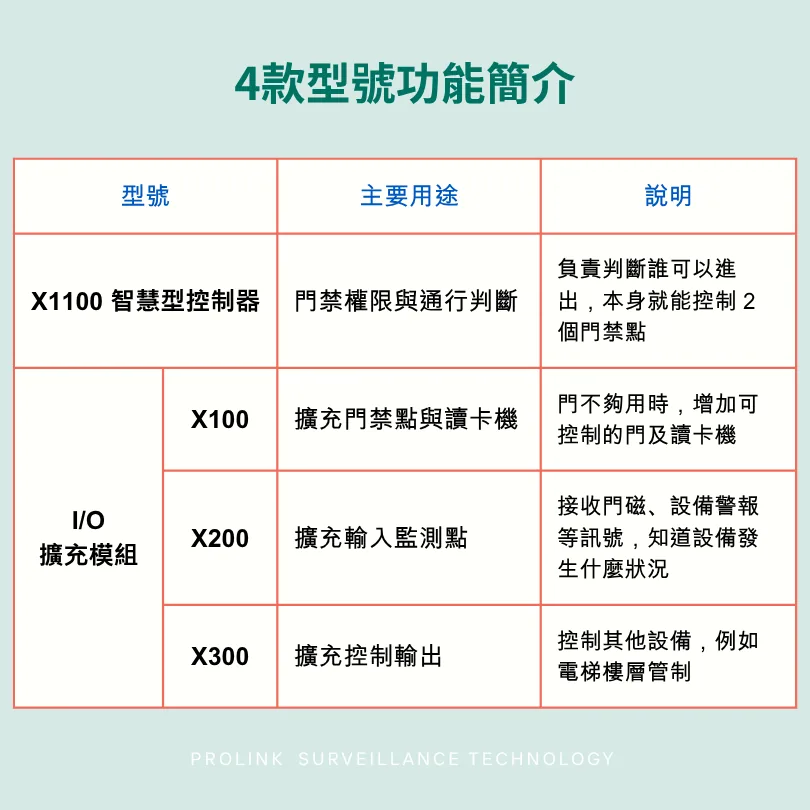
Overview of the 4 Models
X1100 Intelligent Controller
- Main function: System core; supports 2 doors, 4 OSDP or 2 Wiegand readers, 7 inputs, and 4 outputs
- Main purpose: Handles access permissions and passage decisions
X100 Door/Reader Expansion Module
- Main function: Adds 2 access points; supports 4 OSDP or 2 Wiegand readers
- Main purpose: Expands access points and card readers
X200 Input Monitoring Expansion Module
- Main function: Supports up to 16 inputs; can monitor signals such as door contacts and equipment alarms
- Main purpose: Adds input monitoring points such as door contacts and equipment alarms
X300 Output Control Expansion Module
- Main function: Supports up to 12 outputs; can be used for elevator floor control and equipment interlocking
- Main purpose: Adds equipment control outputs, which can be used for elevator floor control
Scenarios: How Should You Combine Modules for Different Access Control Needs?
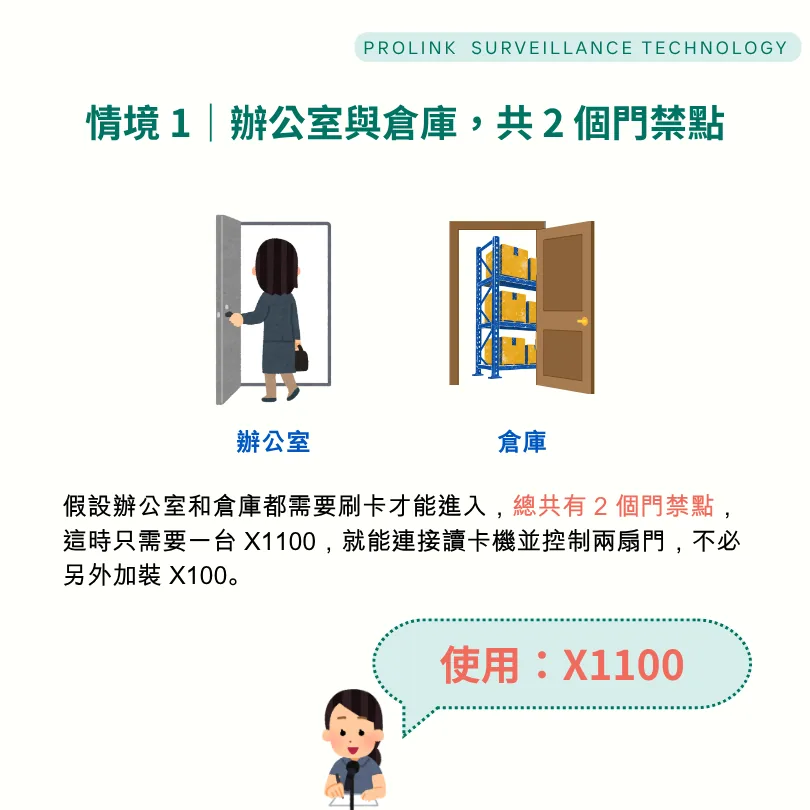
Scenario 1 | Office and Warehouse, 2 Access Points in Total
Suppose both the office and the warehouse require a card swipe to enter, for a total of 2 access points. In this case, a single X1100 can connect the readers and control both doors, with no need to add an X100.
Use: X1100
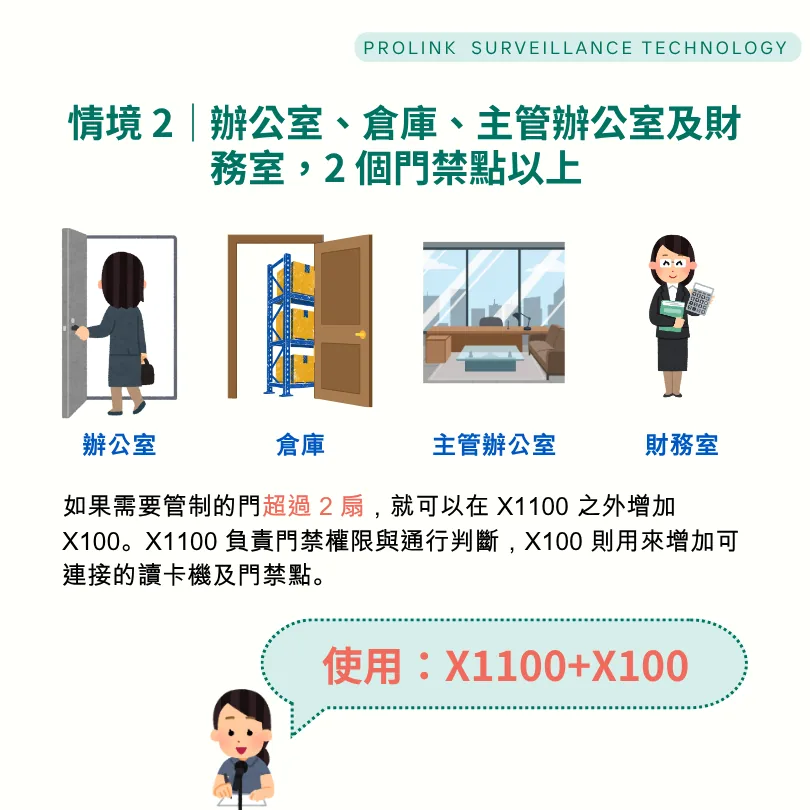
Scenario 2 | Office, Warehouse, Executive Office, and Finance Room, More Than 2 Access Points
If more than 2 doors need to be controlled, you can add an X100 alongside the X1100. The X1100 handles access permissions and passage decisions, while the X100 adds more connectable readers and access points.
Use: X1100+X100
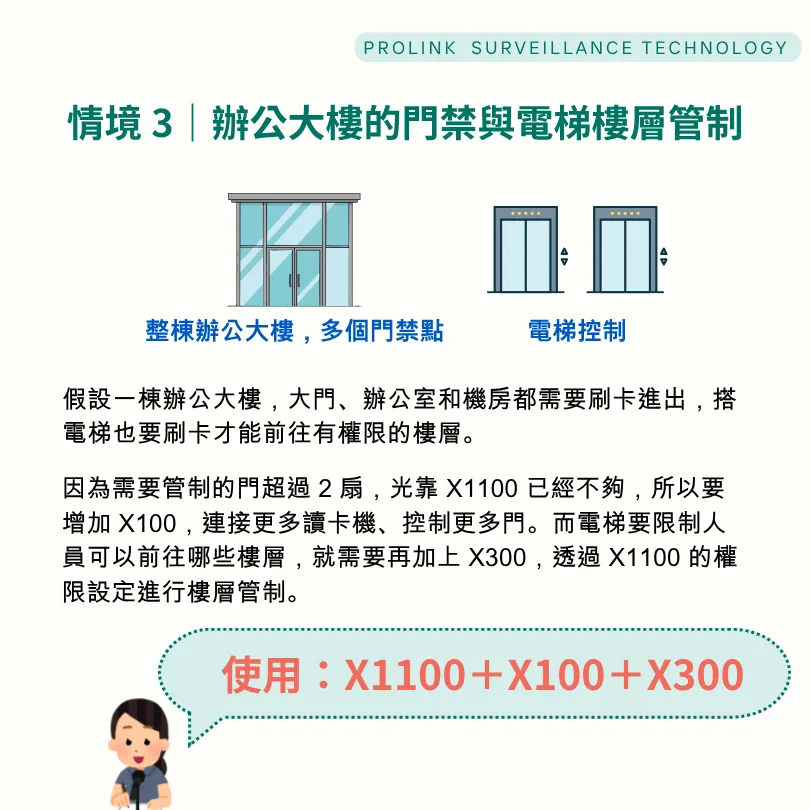
Scenario 3 | Office Building Access Control and Elevator Floor Control
Suppose an office building requires a card swipe at the main entrance, the offices, and the server room, and a card swipe in the elevator to reach authorized floors.
Because more than 2 doors need to be controlled, an X1100 alone is no longer enough, so an X100 is added to connect more readers and control more doors. To restrict which floors people can travel to in the elevator, an X300 is also needed, which controls floors through the X1100's permission settings.
Use: X1100+X100+X300
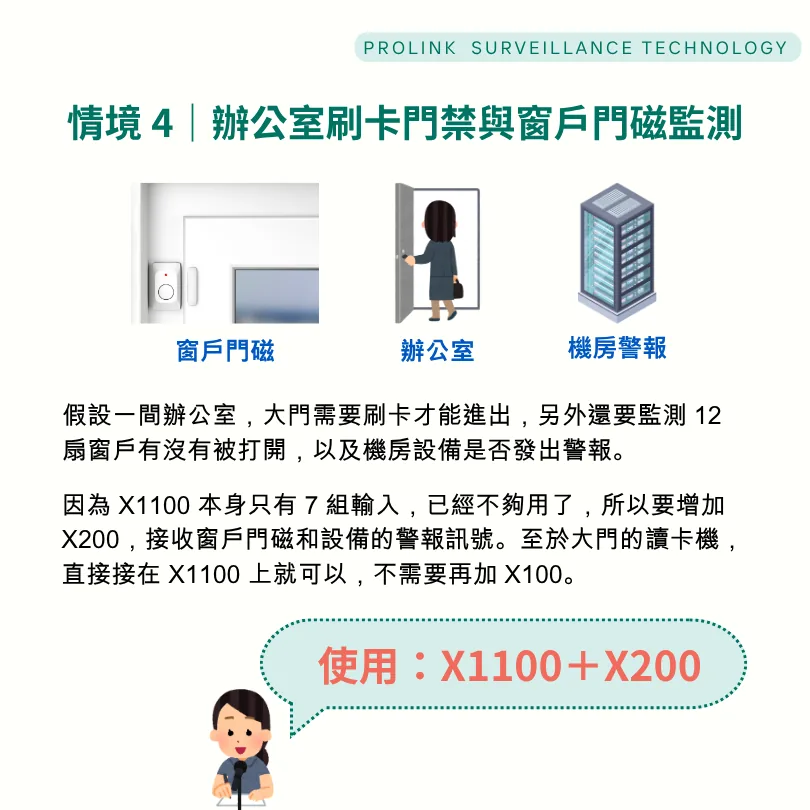
Scenario 4 | Office Card Access and Window Contact Monitoring
Suppose an office requires a card swipe at the main entrance, and also needs to monitor whether any of its 12 windows are opened and whether the server room equipment triggers an alarm.
Because the X1100 has only 7 inputs and that is no longer enough, an X200 is added to receive the alarm signals from the window contacts and equipment. The reader at the main entrance can connect directly to the X1100, so no additional X100 is needed.
Use: X1100+X200
What Makes HID Aero Special?
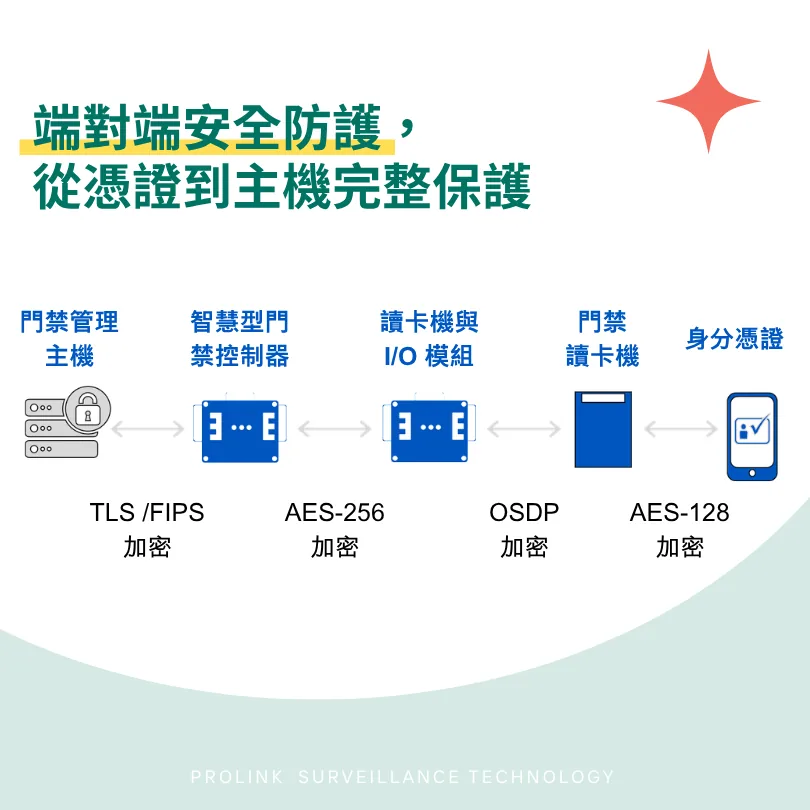
1. End-to-end security, fully protected from credential to host
HID Aero's security mechanisms cover credentials, readers, I/O modules, intelligent controllers, and the host system, using TLS, OSDP Secure Channel, and AES-256 encryption to protect access control data in transit.
It also supports Data at Rest Encryption (DARE) to protect data stored in the controller. Even if someone physically obtains the storage device, the encrypted data remains protected and is virtually impossible to decode.
2. Native OSDP support for secure communication and simplified management
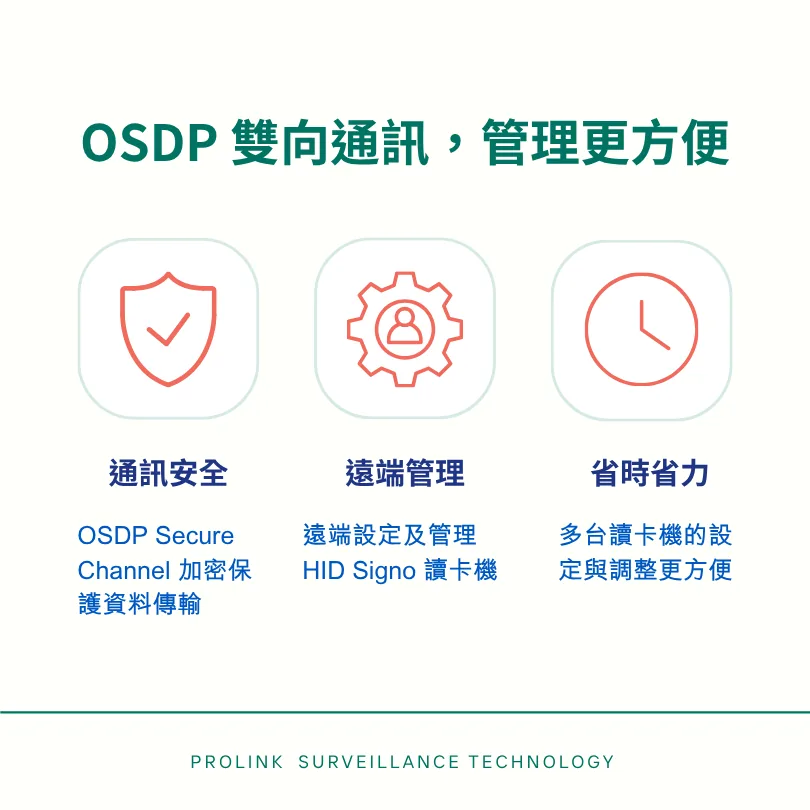
The HID Aero X1100 and X100 natively support OSDP two-way communication and can protect communication through OSDP Secure Channel. When paired with HID Signo readers, remote management is also possible over OSDP, saving installation and maintenance costs.
3. Open architecture for greater freedom in choosing access control management software
HID Aero is designed around openness and flexibility. Unlike closed access control systems that work only with their own management software, HID Aero can work with multiple HID-approved software providers. When an enterprise later replaces or upgrades its access control management software, there is no need to replace the controller hardware, lowering long-term costs.
4. Compatible with existing VertX equipment, lowering upgrade costs
The HID Aero X1100 works with existing VertX I/O modules and has the same mounting footprint as VertX controllers, so existing wiring and connectors can be reused, reducing re-installation work and equipment replacement costs.
5. Local access control keeps people moving even when the host is offline
The biggest fear of any access control system is a lost host connection that keeps people from entering or leaving normally. HID Aero provides local access control: even if it cannot communicate with the access control host, the controller can still decide whether to open a door based on the stored access permissions and configured conditions, so people can pass through as usual.
What You May Also Want to Know About HID Aero
Q1. Can HID Aero work with card readers from other brands?
Yes. HID Aero is not limited to HID's own readers. Any reader that supports the Wiegand or OSDP communication protocol can be used with the HID Aero X1100 and X100.
Q2. Does HID Aero support mobile credentials, smart cards, and biometrics?
Yes. HID Aero can work with mobile credentials, smart cards, and biometric devices through the Wiegand, OSDP, Clock & Data, or F2F communication protocols.
It also supports managing biometric templates over OSDP, as well as PIN codes of up to 15 digits.
Q3. Can HID Aero manage access control across different plants or branch offices?
Yes. HID Aero controllers have IP network connectivity and can work with access control host management software provided by OEM partners to manage multiple controllers distributed across different sites over the network.
Q4. What is the maximum transmission distance between an HID Aero reader and the controller?
It varies depending on the communication protocol and cable configuration:
- OSDP: Using 18 AWG two-conductor power cable and 24 AWG shielded twisted-pair data cable, up to 610 meters.
- Wiegand or Clock & Data (C&D): Using 18 AWG four-conductor shielded cable, up to 150 meters.
Q5. Does HID Aero support elevator floor control?
Yes. HID Aero offers two elevator control methods, with the option to record the floor each user selects, and supports up to 128 floors.
Users can also select a floor by presenting a card together with a PIN code, but advanced destination dispatch that automatically assigns elevators by user is not supported.
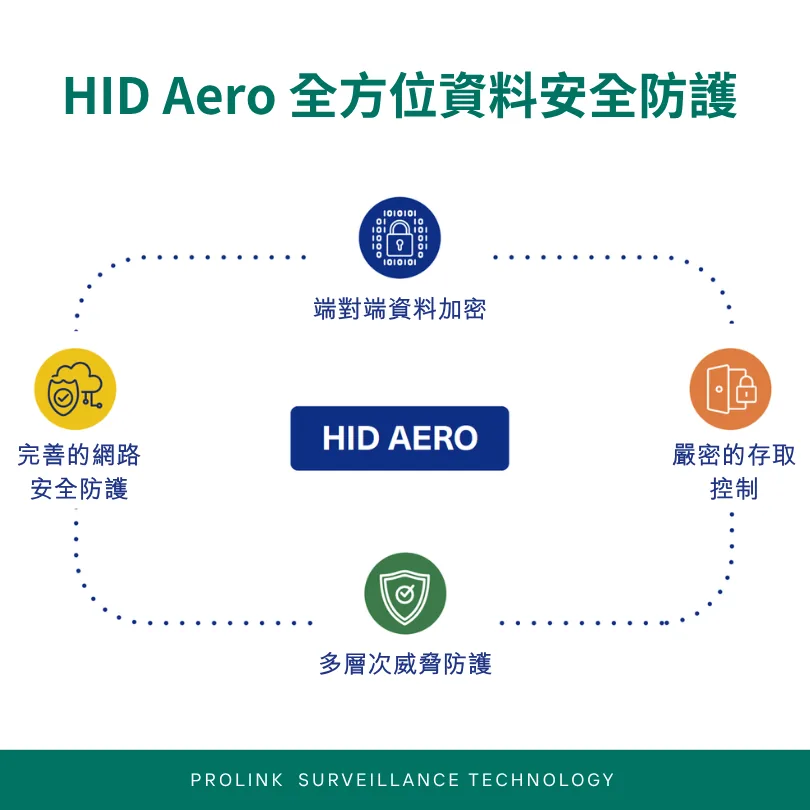
HID has installed more than 5 million access controllers worldwide, and this experience forms the technical foundation of HID Aero. From security and device compatibility to system expansion, HID Aero considers not only today's needs but also gives enterprises more choices when they want to replace equipment or management software in the future, so every upgrade doesn't have to start from scratch.
Schedule An Appointment
Need product recommendations or technical consultation?
Contact us, and we'll provide professional advice and product information